CSS Selectors 101: Targeting Elements with Precision
Why CSS Selectors Are Needed
When you build a webpage using HTML, you create structure. You add headings, paragraphs, sections, and containers.
But structure alone does not define appearance.
CSS is responsible for styling — colors, spacing, fonts, layout. But CSS needs a way to know which elements to style.
That is where selectors come in.
Selectors are how CSS chooses elements.
Think of it like calling someone’s name in a room. If you say “Everyone,” the whole room responds. If you say “All students,” only a specific group responds. If you say “John,” one specific person responds.
Selectors work the same way. They decide who gets styled.
Without selectors, CSS would not know where to apply styles.
Selectors are the foundation of CSS.
Element Selector
The most basic selector is the element selector.
It selects elements based on their tag name.
If you write a rule for paragraphs, every paragraph on the page will be styled. If you write a rule for headings, all headings of that type will be styled.
This is like saying, “All teachers stand up.” Everyone who is a teacher responds.
Element selectors are powerful but broad. They affect every matching element on the page.
They are useful when you want consistent styling across all instances of a specific tag.
Class Selector
A class selector targets elements with a specific class attribute.
Classes are reusable. Multiple elements can share the same class.
If element selectors are like calling all teachers, class selectors are like calling “All students in section A.”
Only elements assigned that class will be styled.
Classes are the most commonly used selectors in real projects because they allow flexibility. You can apply the same class to different elements and style them consistently without affecting everything else.
ID Selector
An ID selector targets a single unique element.
IDs are meant to be used once per page. They identify one specific element.
If class selectors are like calling “Section A students,” ID selectors are like calling “John Smith with roll number 12.”
It is very specific.
Because IDs are unique, they are useful when you need to style or target one particular element.
However, in modern development, classes are usually preferred for styling because they are reusable and more flexible.
Here is a simple visual comparison between class and ID usage:

Classes group multiple elements. IDs target one unique element.
Group Selectors
Sometimes you want to apply the same style to multiple different elements.
Instead of writing separate rules for each one, you can group them together.
Group selectors allow you to target multiple elements in one rule.
This is like saying, “All teachers and all students, please stand up.”
It reduces repetition in your CSS and keeps your code cleaner.
Group selectors are simple but powerful for maintaining consistency.
Descendant Selectors
Descendant selectors target elements that are inside other elements.
HTML is structured like a tree. Elements can be nested inside others.
A descendant selector says, “Style this element only if it is inside that element.”
For example, you may want to style paragraphs only when they are inside a specific container.
This is like saying, “All students inside Classroom A, please stand up.”
Only the matching elements within that parent respond.
Here is a visual idea of how selector targeting works:
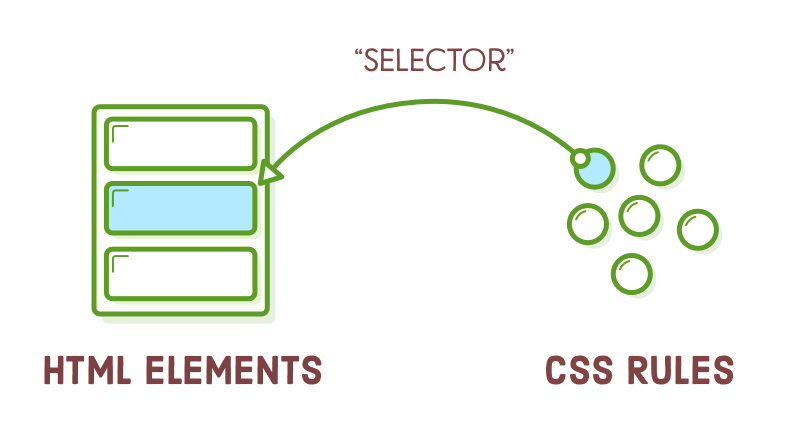
Selectors can be broad or very specific depending on how you combine them.
Basic Selector Priority (Very High Level)
Sometimes multiple selectors target the same element.
Which style wins?
CSS follows a priority system called specificity.
At a very high level:
Element selectors have the lowest priority.
Class selectors have higher priority.
ID selectors have the highest priority among these three.
If the same element is targeted by all three, the ID rule will override the class and element rules.
Think of it like authority levels.
If a general announcement says one thing, a classroom teacher says another, and the principal says something different, the principal’s instruction takes priority.
You do not need to memorize complex specificity rules right now. Just remember this order:
Element < Class < ID
Selectors are the foundation of CSS. Once you understand how to choose elements correctly, everything else in CSS becomes easier.
Before learning animations, layouts, or advanced features, mastering selectors is the most important step.