Understanding HTML Tags and Elements
What HTML Is and Why We Use It
When you open a webpage, what you see looks polished and interactive. There are headings, paragraphs, images, buttons, and sections neatly arranged on the screen.
But underneath all of that styling and behavior, there is structure.
HTML is that structure.
HTML stands for HyperText Markup Language. It is the standard language used to create the structure of webpages. If a webpage were a building, HTML would be its skeleton. It defines where the walls go, where the doors are, where the rooms begin and end.
Without HTML, a webpage would have no organization. Just raw text.
CSS adds styling. JavaScript adds behavior. But HTML defines what exists on the page.
What an HTML Tag Is
HTML works using tags.
A tag is a keyword wrapped inside angle brackets. Examples include paragraph tags, heading tags, division tags, and span tags.
Tags tell the browser what kind of content it is dealing with.
Think of a tag like a label on a box. If you see a box labeled “Books,” you know what’s inside. Similarly, when a browser sees a paragraph tag, it knows the content inside should be treated as a paragraph.
Tags do not appear on the screen. They are instructions for the browser.
Opening Tag, Closing Tag, and Content
Most HTML tags come in pairs.
There is an opening tag, some content, and a closing tag.
For example, when you wrap text inside a paragraph tag, you start with the opening paragraph tag, then place the text, and then use the closing paragraph tag.
The closing tag looks similar to the opening tag but includes a forward slash.
You can think of this like placing a sentence inside a container.
Start Paragraph
Hello World
End Paragraph
The browser reads this and understands that “Hello World” is a paragraph.
What an HTML Element Means
This is where beginners often get confused.
A tag is just the label inside angle brackets.
An element is the complete structure — opening tag, content, and closing tag together.
If you wrap text inside a paragraph tag, the entire structure (opening tag, text, and closing tag) is called an element.
Here is a simple visual breakdown:

Think of a tag as a label, and an element as the complete box with its contents.
Self-Closing (Void) Elements
Not all HTML elements wrap content.
Some elements stand alone. These are called self-closing or void elements.
For example, an image element simply places an image on the page. A line break element inserts a new line. They do not wrap text inside them, so they do not need closing tags.
If normal elements are like containers with something inside, void elements are like single objects placed directly onto the page.
Block-Level vs Inline Elements
HTML elements behave differently when displayed on the page.
Some elements take up the full width available and automatically start on a new line. These are called block-level elements. Examples include divisions and paragraphs.
Other elements only take up as much width as necessary and stay within the flow of text. These are called inline elements. A common example is a span.
If you place two block-level elements one after another, they stack vertically.
If you place two inline elements next to each other, they appear on the same line unless styled differently.
Here is a simple visual comparison:
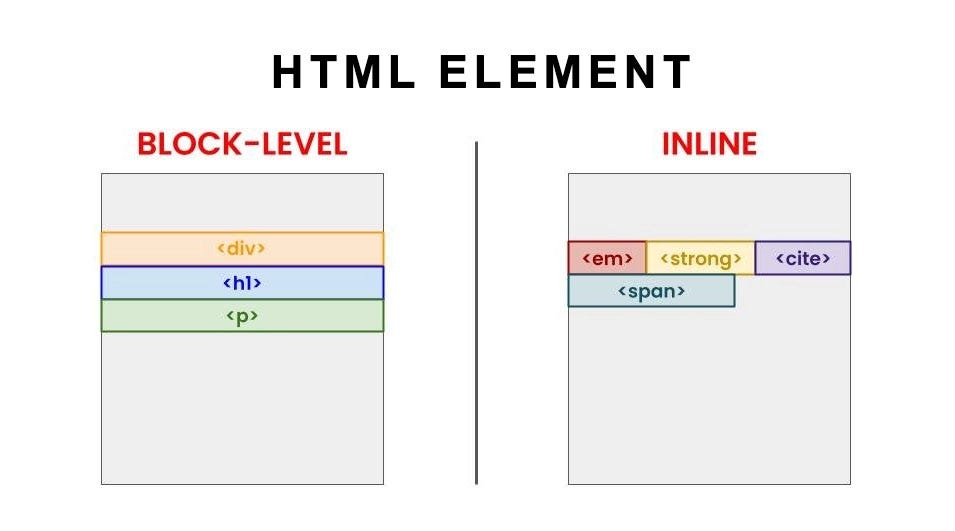
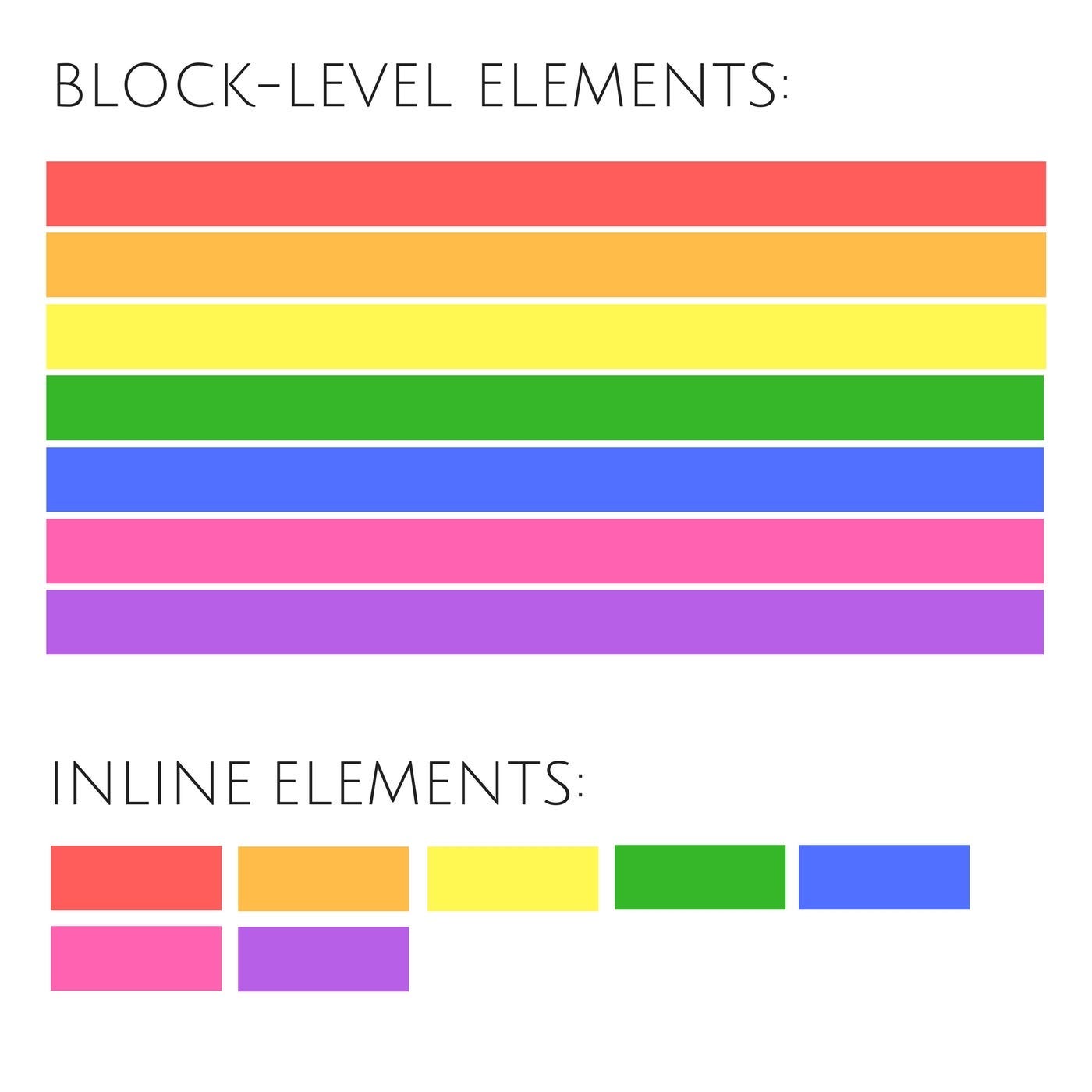
You can think of block elements as big boxes stacked on top of each other, and inline elements as words flowing inside a sentence.
Commonly Used HTML Tags
When starting out, you don’t need to learn every HTML tag. A small set covers most beginner needs.
Heading tags define titles and subtitles. Paragraph tags define text blocks. Division tags group sections together. Span tags are used for styling small pieces of text. Anchor tags create links. Image tags display images. List tags create ordered and unordered lists.
With just these, you can already build meaningful webpage structures.